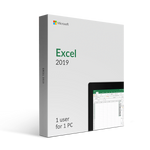
Excel 2019 for PC comes feature-packed to the brim with new and improved features, making it easier to get your work done quickly and efficiently. Whether you're building a complex database or creating a simple financial document, you'll find all the tools you need to get the job done right.
Some of the new features in Excel 2019 include:
More Functions
Excel 2019 includes a variety of new functions that make it easier to work with data. The new CONCAT function can be used to combine text from multiple cells into one, while the IFS function allows you to nest IF statements for more complex conditions.
New Chart Types
Are you looking to visualize your data in unique and useful ways? Take advantage of the new Map chart and Funnel chart types in Excel 2019. The Map chart makes it easy to plot geographical data on a map, while the Funnel chart is ideal for visualizing sales data or any process with multiple steps.
Digital Inking
Use the power of digital ink to highlight parts of your spreadsheet, add useful notes, or draw directly on your data. With the new ink signature feature, you can even sign your documents electronically! The Excel-specific Ink Equation feature also allows you to write out equations by hand and have them converted into text automatically.
Templates
Use pre-made templates to get your work done even faster! Excel 2019 comes with a variety of new templates, including ones for project management, event planning, and business expense tracking. These professional templates will help you get the job done right, and save you time in the process.
Accessibility
Ensure that your spreadsheets can be used by everyone, regardless of ability. Excel 2019 includes a variety of new accessibility features, including the ability to insert alt text for images and videos, and support for high-contrast themes. These features make it easy to create documents that can be used by everyone.
Performance
Excel 2019 performs better than ever before, thanks to its optimized engine and 64-bit support. With faster calculation times and improved memory management, you'll be able to get your work done more quickly and efficiently, no matter what device you work on.